
 ADAS Mobile Plus
 ADAS HD
 Radar 3-in-1
 ADAS Pro Plus
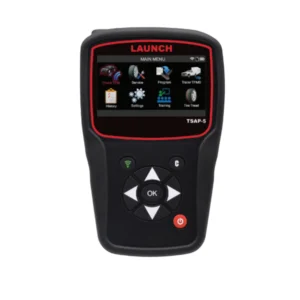 tsap-5
 TSAP-3
 Launch TPMS Sensor
 TTH-84 EV Tool Cart
 Diagnostic Add On Kit
 Modularized Wireless Equalizer – EVB 624
 EV Battery Airtightness Tester – EVT511
 EV Battery Pack Module Charging & Discharging Equipment – EVP711
 Intelligent Digital Power Supply – ELA400
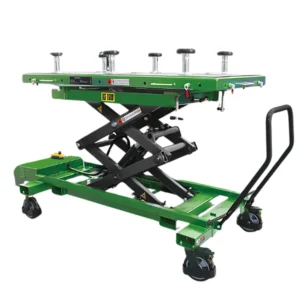 EV Battery Pack Lift – TLT615A
 EV Tool Cart – TTH116
 Professional Insulation Tester – ES200
 EV Clamp – EG100
Difference Between OBD2 Scanners and Professional Scan Tools
Information is power. When a dashboard warning light flickers on, it is a signal that the vehicle’s internal network has detected an anomaly. To translate that signal into actionable repair data, you need a diagnostic tool. However, the terminology can be confusing. Are all scanners the same? Why does one cost $50 and another $3,000?
The divide lies between the basic OBD2 scanner and the professional scan tool. While both devices plug into the same port under the dashboard, the difference in capability is vast. It is the difference between a doctor using a stethoscope to listen to your heart and a surgeon using an MRI machine to operate.
At Launch Tech USA, we engineer solutions for both ends of this spectrum, from the user-friendly Creader series for enthusiasts to the industry-leading X-431 series for master technicians. Understanding the difference is critical to ensuring you have the right equipment for the job.
Defining Diagnostic Tools and Their Purpose
To understand the differences, we must first define what these tools are intended to do. At Launch Tech USA, we categorize them based on their depth of access and communication protocols.
What is an OBD2 Scanner?
According to Launch Tech USA principles, a basic OBD2 (On-Board Diagnostics II) scanner is a passive reading device. It is designed primarily to communicate with the vehicle’s Engine Control Unit (ECU) regarding emission-related systems.
Government mandates require vehicles to monitor their own emissions. An OBD2 scanner, like those found in our Creader (Code Reader) line, connects to the car to “listen” to these specific reports. It pulls generic Diagnostic Trouble Codes (DTCs) that trigger the Check Engine Light. Its primary purpose is to answer the question: “Is my car safe to drive, and will it pass a smog test?”
What is a Professional Scan Tool?
A Professional Scan Tool is an active diagnostic system. It is designed to communicate with all available modules in a vehicle, not just the engine, but the transmission, airbags (SRS), anti-lock brakes (ABS), body control modules (BCM), and more.
Tools like the Launch X-431 series go beyond simply reading codes. They feature high-level software capable of two-way communication, allowing the technician to command the vehicle to perform tasks, reset maintenance intervals, and reprogram control modules. Its primary purpose is to answer the question: “How do I pinpoint the failure, verify the repair, and reset the system?”
Core Differences in Access, Control, and Capability
When comparing an entry-level OBD2 scanner to a professional tablet, the differences break down into four main categories: System Access, Bi-Directional Control, Data Visualization, and Advanced Coding.
1. System Access and the Depth of Diagnosis
The most significant limitation of a standard OBD2 scanner is that it typically only communicates with the engine. If your ABS light is on because of a bad wheel speed sensor, or your Airbag light is on due to a loose connector, a basic generic scanner will often show “No Codes Found.”
Professional scan tools offer “Full System Diagnosis.” This means the tool can query every computer on the network. Whether it is the climate control system, the infotainment center, or the electronic parking brake, a professional tool provides a complete health report of the entire vehicle topology.
2. Bi-Directional Control (Active Tests)
This is the game-changer for mechanics. A basic OBD2 scanner is “read-only”; it receives data from the car. A Professional Scan Tool can talk back.
This is known as Bi-Directional Control or Active Testing. For example, if a fuel pump is not working, a mechanic using a Launch X-431 tool can send a command to force it to turn on. If it activates, the mechanic knows the pump and wiring are functional, and the issue lies with a sensor or computer. A basic scanner cannot do this, leaving the user to guess or test wires manually.
3. Data Streams and Graphing
Reading a code is only the first step. To diagnose complex issues, you need to see what sensors are doing in real-time.
- OBD2 Scanners: Typically provide “Freeze Frame” data, a snapshot of when the code was triggered. Some offer basic live data, but often just as a list of numbers.
- Professional Scan Tools: Offer dynamic, color-coded graphing. You can overlay multiple data streams (e.g., engine RPM vs. O2 sensor voltage) to see cause-and-effect relationships. Launch Tech’s professional tablets often feature Topology Mapping, a visual tree of all vehicle modules showing health status at a glance.
4. Resets, Coding, and Adaptations
Modern car repair involves more than swapping parts. If you replace a battery in a BMW or a throttle body in a Ford, you must “introduce” the new part to the car’s computer.
- OBD2 Scanners: Cannot perform these functions.
- Professional Scan Tools: Include a suite of “Service Resets,” such as Steering Angle Sensor (SAS) calibration, Battery Registration, and Injector Coding. High-end Launch tools can even perform ECU Coding, allowing you to flash hidden features or match new modules to the vehicle’s VIN.
Which Tool is Right for You?
Choosing between an OBD2 scanner and a professional tool depends entirely on your role.
The DIY Enthusiast (The Creader User)
If you are a car owner who wants to avoid being upsold at a shop or if you do your own oil changes, an OBD2 scanner is perfect.
- Goal: Read/Clear Check Engine lights, check smog readiness, view VIN info.
- Recommended: The Launch Creader series. Affordable and portable, providing essential data for maintenance.
The Professional Technician (The X-431 User)
If you run a repair shop, a basic scanner costs you efficiency. You need a tool that can diagnose a transmission issue on a Honda in the morning and calibrate an ADAS system on a Mercedes in the afternoon.
- Goal: Full system scans, bi-directional control, coding, and detailed reporting.
- Recommended: The Launch X-431 series (Throttle, Turbo, or Torque). These tablets are the central hub of a workshop.
Frequently Asked Questions (FAQs)
Can a basic OBD2 scanner reset my Airbag (SRS) light?
Generally, no. Standard OBD2 protocols only cover the engine and emissions. To reset Airbag or Antilock Brake (ABS) codes, you typically need a “Plus” version of a DIY tool or a Professional Scan Tool.
Do Professional Scan Tools work on every car?
Launch Tech USA professional tools are known for extensive coverage, supporting over 100 makes. New vehicles (2023+) may require tools that support newer protocols like CAN FD or DoIP, which are standard in our latest X-431 tablets.
Why is there such a price difference?
You are paying for the software and R&D required to communicate with proprietary systems (like Ferrari, Ford, or GM), not just the hardware. Professional tools also feature ruggedized tablets, larger screens, and wireless VCI technology.
Can I update my scanner?
Yes. Launch Tech USA provides updates for both lines. Professional tools receive frequent updates to add new car models, special functions, and bug fixes to keep pace with automotive technology.
Conclusion
The difference between OBD2 scanners and professional scan tools is the difference between identifying a symptom and curing the disease. While a basic scanner is an essential tool for every glovebox to monitor engine health, the professional scan tool is the lifeline of the modern repair shop, offering the deep access and control required to fix today’s complex vehicles.
Whether you need the portability of a Creader or the unparalleled power of the X-431, Launch Tech USA has the diagnostic solution to keep you moving.
Find the right tool for your garage at Launch Tech USA.