Category: News & Announcements

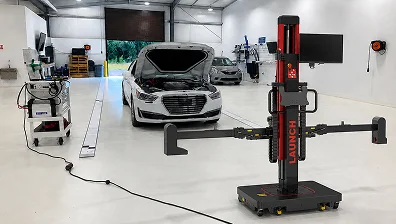
  • Precision Wheel Alignment Machine for Busy Workshops

    Precision Wheel Alignment Machine for Busy Workshops

    Precision Wheel Alignment Machine for Busy Workshops

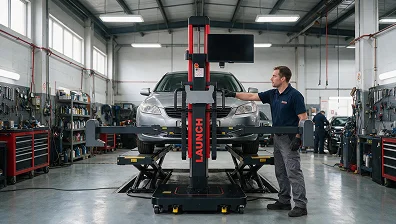
    Wheel alignment is one of those jobs every shop does, but not every shop does it efficiently. A wheel alignment machine changes that. Instead of building around a fixed setup that takes up space and limits which bays you can use, a portable system lets you move where the work is. Launch Tech USA offers two wheel aligners built around exactly this idea: the X-613 Advanced Wheel Aligner and the X-881 Pro. Both are wireless, precise, and ready to use without any installation. Whether you run a single-bay or a multi-bay workshop, one of these fits how you work.

    Wheel Alignment Machine Options From Launch Tech USA

    Launch Tech USA keeps it simple with two clear choices. Each one is designed for a different kind of shop and a different workflow, but both deliver accurate results without the bulk of traditional wheel alignment equipment.

    X-613 Advanced Wheel Aligner — Simple, Fast, and Wireless

    The X-613 is built around one idea: get alignment done without the setup headaches. There are no beams, no cabinets, no wiring, and no calibration needed before you start. Take it out, attach it, and go.

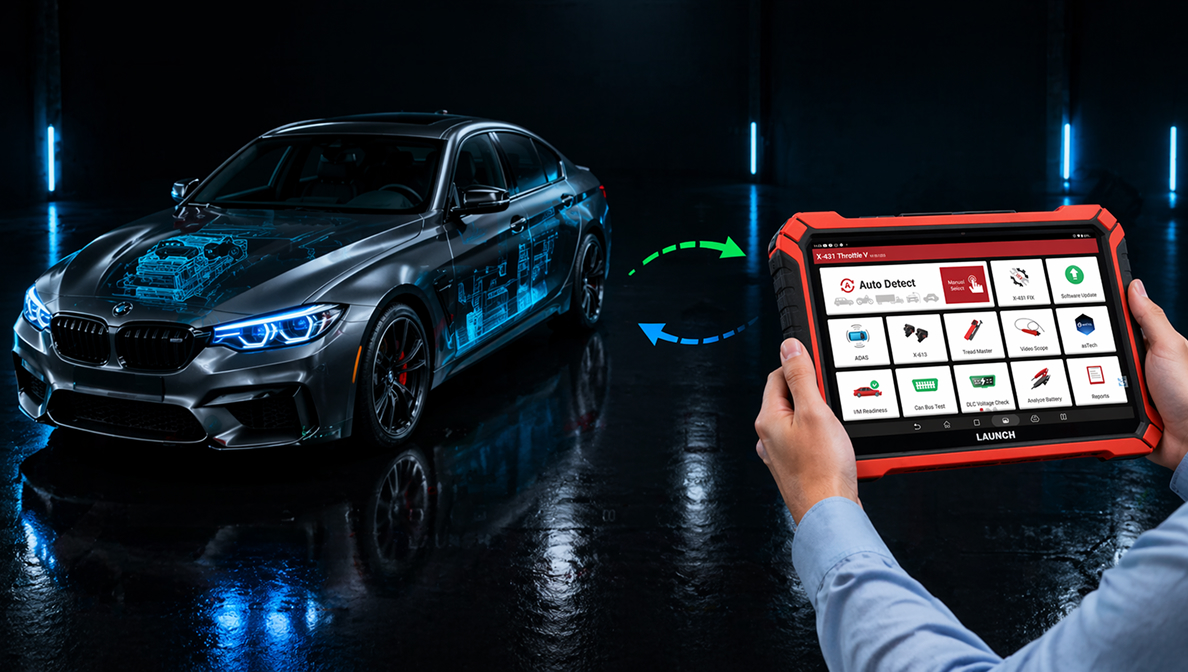
    It uses two magnetic measurement units that communicate wirelessly with each other, along with four wheel clamp targets. You attach the clamp targets to the wheels using either traditional wheel clamps or tire hugger clamps, whichever your shop prefers. The magnetic units then send readings wirelessly to the Launch X-431 Throttle V tablet, which handles the data and walks you through the job.

    Results come in within 30 seconds. The X-613 measures toe, camber, caster, kingpin inclination, thrust angle, track width, wheelbase, wheel offset, axle offset, and more. Once the job is done, results go out by QR code, email, or wireless printing.

    The system is designed for four-post lifts and works in any workshop setup without any fixed installation. It uses strong magnets to attach to the lift, so there is no drilling or anchoring involved. When the job is done, the whole system packs down, and the transport weight is 70 to 80 percent lighter than a traditional 3D alignment system.

    If your shop moves fast and space is limited, the X-613 wheel alignment machine is the one that fits without slowing you down.

    X-881 Pro — Advanced Alignment Solution for Every Workshop

    The X-881 Pro is a step up for shops that want more. It uses two smart imaging cameras and automatic target tracking to deliver precise 3D alignment readings without a fixed installation. 

    The biggest thing that sets it apart is DCC Dynamic Constitute Coordinate technology. This lets the X-881 Pro work on uneven floors, compensating for surface variance of up to 30 degrees. Most fixed aligners need a perfectly level surface. The X-881 Pro does not, which means you can use it across different bays without worrying about the floor.

    It also works with 2-post lifts. This is a big deal for smaller shops that do not have a dedicated alignment bay with a 4-post or scissor lift. The X-881 Pro records suspension measurements while the vehicle is still on the ground, then uses those numbers when the car is lifted for adjustments. That means your readings stay accurate even when the suspension is unloaded.

    The system includes a built-in VIN decoder, a large monitor, Wi-Fi updates, a wireless VIN scanner, and a printer. Reports come in three formats and can be saved, printed, or emailed. It also supports ADAS pre-calibration wheel alignment jobs according to OEM specs.

    This automotive wheel alignment system is built for shops that handle high volumes and need a reliable wheel alignment machine that keeps up across every bay and every lift type.

    Which One Is Right for Your Workshop?

    X-613 Advanced Wheel AlignerX-881 Pro
    SetupNo installation neededNo fixed installation
    ConnectionWireless via magnetic unitsTwo smart imaging cameras
    Lift compatibilityFour-post lifts All lift types including 2-post
    Uneven floor supportStandardUp to 30 degrees variance
    Measurement time30 secondsFast automatic tracking
    VIN decoderAvailable via X-431 Throttle V tabletBuilt-in with wireless scanner
    ADAS pre-calibrationNot supported (wheel alignment only) Yes, per OEM specs
    Best forFast, mobile alignment workHigh-volume professional shops


    Frequently Asked Questions (FAQs)

    What is a mobile wheel aligner and how does it work?

    A portable wheel alignment system measures how your wheels are positioned relative to each other and the road. Unlike fixed systems, it has no permanent setup; you move it to the vehicle, attach the measuring units, and the system gives you readings wirelessly through a connected tablet or monitor.

    Can a portable wheel alignment machine work on all vehicle types?

    Both the X-613 and the X-881 Pro cover a wide range of domestic, Asian, and European vehicles. The X-881 Pro also handles ADAS pre-calibration jobs for vehicles with advanced driver assistance systems.

    Do I need a special lift to use Launch Tech USA wheel alignment equipment?

    The X-613 works with drive-on style lifts. The X-881 Pro works with 2-post lifts and all other lift types, making it the go-to wheel alignment machine for workshops that do not have a dedicated 4-post alignment bay.

    How long does a digital wheel alignment machine take to get results?

    The X-613 produces four-wheel alignment results in about 30 seconds. The X-881 Pro uses automatic camera tracking that also moves through the process fast without manual adjustments between readings.

    Is the X-881 Pro a good fit for a smaller workshop?

    Yes. The X-881 Pro is designed to work in tight spaces and on 2-post lifts, making it a practical choice for smaller shops that want professional alignment capabilities without installing a fixed system.
  • Advanced ADAS Calibration Equipment for Auto and Glass Shops

    Advanced ADAS Calibration Equipment for Auto and Glass Shops

    Advanced ADAS Calibration Equipment for Auto and Glass Shops

    Modern vehicles come packed with safety systems: lane departure warnings, adaptive cruise control, blind spot monitoring, forward collision alerts, and more. Every one of these systems depends on sensors and cameras that need to stay perfectly calibrated. When a windshield gets replaced, or a bumper takes a hit, those sensors shift. That’s where the right ADAS calibration tools come in. Launch Tech USA builds advanced ADAS calibration equipment designed specifically for auto shops and glass shops that want to do this work accurately, efficiently, and without the guesswork.

    Advanced ADAS Calibration Equipment Built for Shop Professionals

    The ADAS category at Launch Tech USA covers four products, and each one targets a different shop setup and workflow. Whether you run a busy collision center, a glass replacement shop, or a general repair bay, there is a calibration system built around how you work.

    ADAS HD — Built for Commercial and Heavy-Duty Vehicles

    The ADAS HD is a heavy-duty calibration frame built for commercial vehicles. It features a 3-meter height adjustment, which goes up to 9.8 feet, making it one of the tallest frames in the lineup. The aluminum frame includes a cross-member and pedestal setup that holds targets steady while giving technicians room to adjust height, position, and yaw with precision. Lockable 360-degree casters let you move the frame around the bay and lock it in place once it’s where it needs to be. The collapsible design keeps storage simple when the frame is not in use. For shops handling trucks, vans, or larger commercial vehicles, this is the system that covers the height and reach those jobs demand. While it’s built with heavy-duty work in mind, it also functions as solid ADAS calibration equipment for glass shops that service larger vehicles and need a frame tall enough to handle recalibration after windshield replacement. It pairs with Launch diagnostic tools and delivers the kind of fast, accurate setups that keep the workflow moving in a busy workshop.

    Radar 3-in-1 — Radar Calibration Without the Clutter

    Not every shop needs a full floor-standing frame for every job. The Radar 3-in-1 is built for technicians who focus on radar-based systems and want a compact, no-fuss solution that gets the job done. It combines three components into one unit: an ACC radar target, a Doppler simulator, and a corner reflector. Together, these handle calibration for Adaptive Cruise Control, Blind Spot Monitoring, Lane Change Assist, and Front Corner Radar systems across European, Asian, and domestic vehicles. The ADAS calibration system uses millimeter-level laser precision for positioning, and the small radar targets are easy to carry and set up on-site. Step-by-step on-screen guidance through the Launch X-431 diagnostic tools makes the process clear even for technicians newer to radar calibration. For shops looking for an ADAS calibration solution that covers radar systems without taking up half the bay, this one fits.

    ADAS Pro Plus — The Full-Featured Frame for High-Volume Shops

    The ADAS Pro Plus is designed for shops that do volume calibration work and need a frame that keeps up. It uses a millimeter-precision laser rangefinder for positioning, so there’s no manual mechanical measuring; the system finds its position fast and accurately. Multi-directional fine-tuning lets technicians adjust the frame without repositioning the whole unit, and the electric lift handles target height changes quickly. The aluminum alloy frame is built to last through daily shop use. Secure locking casters give the frame stability once it’s in position. It supports calibration for lane departure warning systems, forward-facing cameras, radar sensors, and other ADAS systems. The ADAS calibration equipment for auto shops gets connected to the Launch X-431 diagnostic tablet, which guides the technician through every step. This is the right frame for shops that want speed, accuracy, and a system that handles a wide range of vehicle makes and ADAS system types.

    ADAS Mobile Plus — Precise Calibration, Ready to Go Anywhere

    The ADAS Mobile Plus is built for flexibility. At around 50 pounds, it’s light enough to move easily and compact enough to fit in a carry bag, which makes it practical for mobile calibration work or smaller shops where floor space matters. Laser height measurement tools and dual-axis spirit levels handle the precision side, and three micro-adjustment screws at the base let technicians dial in horizontal alignment without fighting the ground. The foldable base and adjustable frame arms make setup quick whether you’re working inside or outside. Four wheels with locks keep the frame stable once it’s placed. It comes with targets for lane departure warning system calibration, and it’s compatible with AVM, RCW, and BSD targets from the Launch ADAS Pro line. The ADAS calibration equipment for glass shops benefits especially from this system. Windshield replacements require recalibration, and the Mobile Plus handles that work without requiring a dedicated calibration bay. Paired with Launch X-431 diagnostic tools, technicians get step-by-step on-screen instructions that make the process consistent across every job.

    Why Launch Tech USA ADAS Calibration Solutions Stand Out

    Across all four products, Launch Tech USA builds around the same core priorities: precision measurement, practical design, and compatibility with their diagnostic tool lineup. Every frame pairs with Launch X-431 scan tools, which means technicians work through a guided process rather than figuring out each job from scratch. The laser-based measurement tools across the lineup eliminate the margin for error that comes with manual positioning. And the product range covers shops of every type, from the mobile glass tech who needs a lightweight portable system to the collision center running commercial vehicles that need a frame tall enough to handle the job.

    Advanced ADAS calibration equipment from Launch Tech USA gives shops a way to take on this growing category of work without needing multiple systems from multiple brands.

    Frequently Asked Questions (FAQs)

    Do auto shops need special equipment to calibrate ADAS systems?

    Yes. ADAS calibration requires precise positioning of targets relative to the vehicle. Using the right frame and laser measurement tools is what keeps results accurate and consistent with OEM specifications.

    Can glass shops use Launch Tech USA ADAS equipment after a windshield replacement?

    Yes. The ADAS Mobile Plus is particularly well suited for glass shops. Forward-facing cameras mounted on the windshield need recalibration after replacement, and the Mobile Plus handles that work efficiently.

    Do all four Launch Tech USA ADAS products work with the same diagnostic tools?

    Yes. The ADAS HD, Radar 3-in-1, ADAS Pro Plus, and ADAS Mobile Plus all pair with Launch X-431 diagnostic tablets, which guide technicians through the calibration process with step-by-step instructions.

    What radar systems does the Radar 3-in-1 cover?

    It covers Adaptive Cruise Control, Blind Spot Monitoring, Lane Change Assist, and Front Corner Radar calibration across a wide range of European, Asian, and domestic vehicles.

    Is ADAS calibration work a good revenue opportunity for shops?

    It is. As more vehicles come equipped with driver assistance systems, the need for calibration after repairs and windshield replacements keeps growing. Having the right advanced ADAS calibration equipment in your shop puts you in a position to take on that work.

  • Best Professional Automotive Diagnostic Scan Tool for Repair Shops

    Best Professional Automotive Diagnostic Scan Tool for Repair Shops

    Best Professional Automotive Diagnostic Scan Tool for Repair Shops

    Choosing the right diagnostic scan tool can make or break a repair shop’s daily workflow. A good tool saves time, builds customer trust, and helps technicians fix problems on the first try instead of guessing. Launch Tech USA manufactures the professional automotive diagnostic scan tool options trusted by repair shops across the country, and this guide breaks down the options to help you pick the one that fits your shop best.

    What Makes a Diagnostic Scan Tool Worth the Investment

    Modern vehicles run on dozens of computer systems working together. A check engine light could mean a dozen different things, and without the right tool, technicians end up guessing instead of diagnosing. A modern automotive diagnostic scan tool reads fault codes accurately, shows live data from the vehicle’s systems, and lets technicians test parts directly instead of removing them to check by hand.

    This kind of access turns a slow repair process into a fast, confident one. Shops that use the right tool spend less time on each vehicle and get more cars in and out the door every day.

    X-431 Throttle V: Built for Everyday Diagnostics

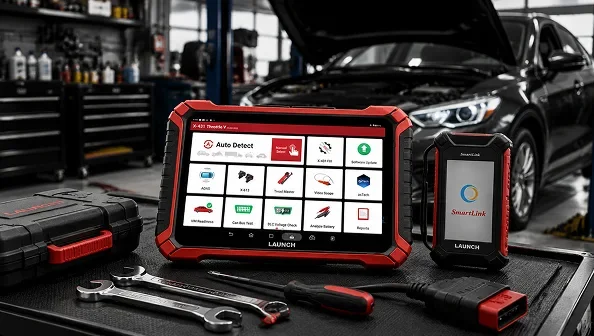
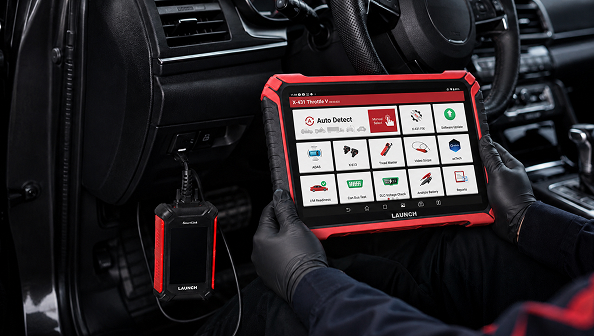
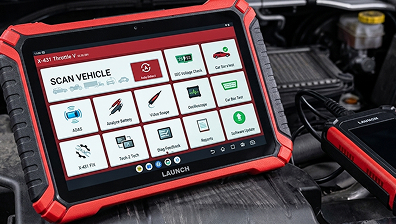
    The X-431 Throttle V suits shops that run diagnostics all day and need a professional diagnostic scanner that doesn’t slow them down. The screen alone is a big part of why technicians like it: 13.6 inches wide, so it’s easy to read values and compare data without squinting or scrolling around. It’s also IP65 rated for water and dust, which matters more than people expect once a tool starts living on a shop floor full of grease, dust, and the occasional spill.

    This tool reads and clears fault codes across the engine, transmission, ABS, and airbag systems, and it shows live data in real time so technicians can catch issues that don’t always trigger a fault code. It also supports common services like oil resets and maintenance light resets, which come up in almost every shop on a daily basis. For workshops that want a dependable tool for high-volume, everyday work, the Throttle V is a strong starting point.

    X-431 Torque Link: More Control for Growing Shops

    The X-431 Torque Link is Launch Tech’s middle-tier option, sitting between the flagship Throttle V and the Turbo III. It supports two-way communication, so technicians can send commands to the vehicle instead of only reading data from it.  This lets a technician activate parts like valves, relays, motors, and sensors directly through the tool, then watch how the vehicle responds. That kind of active testing confirms whether a part is actually failing or working fine, which saves time and prevents unnecessary part replacements.

    What sets the Torque Link apart is the balance it strikes. It covers more than 100 vehicle brands, includes topology mapping, and comes with built-in ADAS software for calibrating driver-assist systems, features the Turbo III doesn’t offer without extra add-ons. Its long-lasting battery and large storage keep technicians working through a full shift, and the Smartlink C VCI adds remote diagnostics and pass-thru programming for shops that want more capability without stepping up to the Throttle V’s price point. It also offers expansion options for powersports, heavy-duty trucks, and electric vehicles, so it grows with a shop’s services instead of getting replaced as soon as the shop takes on new kinds of work.

    X-431 Turbo III: Dependable Diagnostics for Everyday Repairs 

    The X-431 Turbo III is Launch Tech’s entry point into its professional lineup, built for shops that want dependable, everyday performance without paying for features they may not need. It handles full-system diagnostics, covering the engine, transmission, brakes, and other core modules, and its compact, rugged design holds up well in a busy shop. It’s a smart choice for general repair shops and mobile technicians who need a reliable tool for daily maintenance work rather than deep, specialized testing.

    With optional add-ons, the Turbo III can also handle battery detection, basic key and immobilizer programming, and ADAS calibration, so a shop can add those capabilities later instead of buying an entirely new tool. For shops just starting to build out their diagnostic capabilities, or ones that mostly handle routine repairs, the Turbo III is a practical, budget-friendly starting point.

    X-431 Torque AutoHD Pro: One Tool for Cars and Trucks

    Repair shops that service both passenger vehicles and heavy-duty trucks often end up juggling separate tools for each. The X-431 Torque AutoHD Pro solves that by handling light-duty and heavy-duty diagnostics in one connection, making it arguably the best automotive diagnostic scanner for mixed fleets. Whether the job is a family SUV or a Class 8 diesel truck, this tool delivers full diagnostic coverage without needing a second device on hand.

    Picking the Right Tool for Your Shop

    The best tool depends on what kind of work a shop does most often. A shop that wants the most capable, full-featured tool in the lineup, for high-volume routine work or advanced diagnostics alike, will get the most value from the Throttle V. A shop that wants deeper testing and plans to grow its service offerings without stepping up to the Throttle V’s price point should look at the Torque Link. A shop that mainly handles routine repairs and wants a dependable, budget-friendly tool should start with the Turbo III. And any shop that services both cars and heavy trucks should consider the Torque AutoHD Pro to avoid keeping multiple tools on hand.

    Final Thoughts

    A professional automotive diagnostic scan tool is one of the most important investments a repair shop makes. The right one speeds up diagnosis, builds technician confidence, and helps a shop offer more services without adding more equipment than necessary. Launch Tech USA’s professional lineup, including the Throttle V, Torque Link, Turbo III, and Torque AutoHD Pro, gives repair shops options built around real workshop needs, not just a long list of features nobody uses. Compare what each tool offers against the kind of vehicles and repairs your shop handles most, and choose the one that matches your daily workload.

  • What Is the Best Professional Car Diagnostic Tool?

    What Is the Best Professional Car Diagnostic Tool?

    What Is the Best Professional Car Diagnostic Tool?

    If you’re looking for the best professional car diagnostic tool, the right choice depends on your shop’s needs, vehicle coverage requirements, and diagnostic capabilities. Professional technicians typically need a tool that offers full-system diagnostics, bi-directional control, live data, ECU coding, and regular software updates. Among today’s leading options, the professional tools series stands out as a powerful solution for repair shops and automotive professionals who need reliable vehicle diagnostics across multiple makes and models.

    Why a Professional Car Diagnostic Tool Matters

    A professional car diagnostic tool goes far beyond reading basic trouble codes. Modern vehicles contain dozens of electronic control units (ECUs) that require advanced diagnostic functions to accurately identify and resolve issues.

    A high-quality professional automotive diagnostic tool can help technicians:

    • Perform full-system vehicle scans
    • Access live vehicle data
    • Conduct bi-directional tests
    • Read and clear fault codes
    • Support ECU coding and adaptations
    • Improve diagnostic accuracy and efficiency

    For busy workshops, investing in a professional-grade car diagnostic scanner can significantly reduce troubleshooting time and improve customer satisfaction.

    Top Launch Professional Diagnostic Tools

    Throttle V

    The Throttle V is a professional diagnostic scanner designed for repair shops that need advanced vehicle diagnostics, full-system scanning, and extensive service functions. It is a strong choice for technicians looking for a reliable professional car diagnostic tool.

    Torque Link

    The Torque Link combines advanced diagnostics, broad vehicle coverage, and professional-grade functionality. It is well-suited for workshops that require an automotive diagnostic scan tool capable of handling a wide range of vehicle systems.

    Turbo III

    The Turbo III is designed for automotive professionals who need a powerful vehicle diagnostic tool with modern diagnostic capabilities, wireless functionality, and support for advanced repair workflows.

    How Launch Compares to Other Professional Diagnostic Tools

    When searching for the best automotive diagnostic scanner, technicians often compare Launch with brands such as Autel, TOPDON, XTool, and Snap-on.

    ToolBest For
    Throttle VProfessional repair shops require advanced diagnostics and service functions
    Torque LinkProfessional passenger vehicle diagnostics and advanced repair workflows
    Turbo IIIHigh-volume workshops needing fast and comprehensive vehicle diagnostics
    Autel MaxiSys UltraHigh-end diagnostic operations
    TOPDON Phoenix MaxMulti-function workshops
    XTool D9 ProBudget-conscious professionals

    Launch diagnostic platforms provide an excellent balance of vehicle coverage, functionality, software support, and overall value, making them a preferred choice for many professional technicians.

    What Features Should You Look For?

    When choosing a professional automotive diagnostic tool, consider the following features:

    • Full-system diagnostics
    • Bi-directional control
    • Live data analysis
    • ECU coding capabilities
    • Vehicle compatibility
    • Wireless diagnostics
    • Software update support
    • Advanced service functions

    A quality automotive diagnostic scan tool should support both current and future diagnostic needs while helping technicians work more efficiently.

    Conclusion

    The best professional car diagnostic tool is one that delivers reliable diagnostics, broad vehicle coverage, advanced service functions, and regular software updates. For professional repair shops and technicians, solutions such as Throttle V, Torque Link, and Turbo III provide the features needed to diagnose and service modern vehicles efficiently. Whether you need a professional automotive diagnostic tool for everyday repairs or an advanced automotive diagnostic tool for complex diagnostics, choosing the right platform can improve accuracy, productivity, and shop performance.

    Frequently Asked Questions

    What is the best professional car diagnostic tool?

    The best professional car diagnostic tool depends on your specific needs and vehicle coverage requirements. Many repair shops choose Throttle V, Torque Link, and Turbo III because they offer advanced diagnostics, full-system scanning, live data analysis, and professional-grade service functions.

    What is the difference between a professional diagnostic scanner and a basic code reader?

    A professional diagnostic scanner can access multiple vehicle systems, perform bi-directional tests, analyze live data, and support advanced service functions. A basic code reader is typically limited to reading and clearing fault codes.

    Which diagnostic scanner is best for mechanics?

    A diagnostic scanner for mechanics should provide full-system diagnostics, service resets, live data monitoring, and broad vehicle coverage. Professional technicians often look for tools such as Throttle V and Turbo III because of their advanced capabilities and workshop-friendly features.

    Is Torque Link suitable for professional repair shops?

    Yes. Torque Link is designed for professional users who need reliable diagnostics, extensive vehicle coverage, and advanced service capabilities. It is particularly useful for shops that require a powerful vehicle diagnostic tool for daily diagnostic work.

  • Things to Consider Before Buying a Professional Scan Tool

    Things to Consider Before Buying a Professional Scan Tool

    Things to Consider Before Buying a Professional Scan Tool

    Investing in a professional scan tool is one of the most important decisions you will make for your shop. The right tool directly impacts your diagnostic speed, repair accuracy, and the range of services you can offer. The wrong one costs you time, money, and customer trust. Before you buy, here is exactly what you need to evaluate.

    Know Your Diagnostic Needs First

    Not every shop has the same requirements. A high-volume repair shop handling mixed makes and models needs a very different tool than a technician focused on a single brand. Before looking at any product, be clear on the vehicles you service, the systems you diagnose most, and the service functions you need daily. Buying the right tool starts with understanding your own workflow.

    Vehicle Coverage That Matches Your Bay

    A scan tool is only as useful as the vehicles it actually supports. Look for broad compatibility across domestic, European, and Asian vehicles if your shop handles a variety of makes. Shallow coverage across many brands is not the same as deep, OE-level access. Confirm that the tool you are considering goes beyond basic engine codes and connects fully with the systems on the vehicles you work on every day.

    Full System Access Not Just Engine Codes

    A basic code reader has no place in a professional workshop. A professional scan tool should give you complete access to every major system engine, transmission, ABS, SRS, body control modules, and more. Live data streaming is equally critical. Watching real-time sensor data helps you catch intermittent faults and performance issues that never trigger a code. This is the level of access your diagnostic work demands.

    Bi-Directional Testing

    This is the feature that defines a true professional tool. Bi-directional capability means the tool does not just read data, it sends commands to vehicle systems and tests whether they respond correctly. You can activate components, run output tests, and verify system function directly from the tool. This eliminates guesswork, cuts diagnostic time, and gives you results you can stand behind.

    Service and Reset Functions Built In

    Today’s vehicles require more than fault code reading after a repair. Oil resets, battery registration, steering angle calibration, throttle relearn, DPF regeneration, and TPMS service are now standard parts of the job. Before purchasing, verify which service functions are included and which require additional subscriptions or modules. A tool that covers these functions from the start keeps your workflow moving without unexpected extra costs.

    ADAS Calibration Capability

    ADAS systems are now on most new vehicles coming into your bay. Any windshield replacement, suspension work, or front-end repair that involves cameras or radar sensors requires proper calibration. A professional scan tool that integrates with ADAS calibration equipment lets your shop handle the full repair process under one platform, expanding your service offering and increasing your revenue per vehicle.

    Software Updates and Ongoing Support

    New vehicles arrive every year with new protocols and new systems. A scan tool that does not receive regular updates becomes outdated fast. Before you buy, confirm how updates are delivered, whether they are included or require an annual fee, and how consistently the manufacturer supports their tools over time. Long-term software support is not a bonus; it is a requirement for any serious professional investment.

    Build Quality That Handles a Real Workshop

    A professional scan tool takes real daily abuse, tight spaces, repeated handling, and demanding environments. Reinforced housing, quality screens, and reliable connectors are not optional. A tool that fails in the field or slows you down with a poor interface costs you more than the price difference between models. Durability and ease of use belong on your checklist just as much as features do.

    Wireless Connectivity and Modern Workflow

    Wireless VCI capability allows you to move freely around the vehicle, run road tests, and work without cables running across your shop floor. Wi-Fi-enabled updates, cloud-based data management, and remote diagnostic capabilities are now standard expectations in a professional-grade tool. These features directly affect how efficiently your shop operates day to day.

    Value Over Price: Think in Terms of ROI

    The lowest price is rarely the best investment in professional diagnostics. Limited coverage, poor update support, and missing advanced functions all carry a cost that adds up over time through missed diagnoses and lost service opportunities. A tool that delivers accurate results, broad vehicle coverage, and reliable ongoing support pays for itself faster and keeps paying through the work it helps you win.

    Choose a Tool Built for Real Results

    Every factor covered here points to the same conclusion: your scan tool needs to work as hard as you do. At Launch Tech USA, professional scan tools are built specifically for workshops that cannot afford shortcuts. From full system diagnostics and bi-directional testing to ADAS calibration and regular software updates, every tool in the Launch Tech lineup is designed to deliver accurate results, expand your service capabilities, and support your shop’s growth from day one.

  • Professional vs DIY Diagnostic Scan Tools

    Professional vs DIY Diagnostic Scan Tools

    Professional vs DIY Diagnostic Scan Tools

    If you have ever stood in front of a shelf full of scan tools or scrolled through pages of options online, you already know how confusing the choice can feel. There are tools priced at fifty dollars and tools priced at several thousand dollars, and both claim to do the same job. The truth is, they do not. Understanding the difference between a professional diagnostic scan tool and a DIY scan tool is the most important step you can take before spending a single dollar.

    This guide breaks it all down in plain language so you can make the right call for your situation.

    What Is a DIY Diagnostic Scan Tool?

    A DIY scan tool is designed for the everyday car owner who wants to figure out why a warning light came on. These tools are affordable, compact, and simple to use. You plug them into the OBD2 port under your dashboard, and within seconds, you can read a fault code and get a basic idea of what is going on with your vehicle.

    The most common use case for a DIY tool is reading and clearing a check engine light. If you are a car owner who just wants to know whether that light means something serious or something minor before heading to a shop, a DIY scanner gives you that answer quickly.

    DIY tools are built for a single user, a single vehicle, or a small number of vehicles, and a basic level of diagnosis. They typically cover the four main OBD2 functions, including reading codes, clearing codes, viewing live data, and checking emissions readiness. That covers a lot of ground for personal use, but it is not nearly enough for professional work.

    What Is a Professional Diagnostic Scan Tool?

    A professional scan tool is a different category of equipment entirely. It is built for automotive technicians and shop owners who diagnose multiple vehicles every single day, across different makes, models, and model years. The depth of access is far greater, the coverage is far wider, and the functions go well beyond reading a fault code.

    A professional tool gives you access to all of the control modules in a vehicle, not just the engine and transmission. You can run active tests, program keys, reset service lights, calibrate sensors, perform bi-directional controls, and carry out advanced functions like ADAS calibration and immobilizer programming. These are things a basic DIY scanner cannot do at all.

    The Launch Tech USA professional diagnostic tool lineup is built specifically for this level of work. From the X-431 Throttle V to the Torque Link and Turbo III, the professional tools from Launch Tech USA are engineered for technicians who need accurate results fast, across every vehicle in their bay.

    The Key Differences You Need to Know Before Buying

    Vehicle Coverage

    A DIY tool typically works across most OBD2-compliant vehicles from 1996 onward, but coverage becomes thin once you move past basic powertrain systems. A professional tool from a brand like Launch Tech USA covers thousands of vehicle makes and models with full system access, including manufacturer-specific systems that a basic scanner cannot reach.

    Depth of Diagnosis

    With a DIY tool, you read the code, and you look it up. With a professional tool, you run tests directly on the system that triggered the code. You can command a component to activate, measure live sensor data in real time, and pinpoint the exact source of a fault without guesswork. This level of depth is what separates a fast, accurate repair from a prolonged process of trial and error.

    Bi-Directional Control

    This is one of the clearest lines between the two categories. Bi-directional control means the tool can send commands to a vehicle’s systems, not just receive data from them. You can activate solenoids, run fuel pump tests, cycle the ABS system, and perform dozens of other tests that require the tool to communicate both ways with the vehicle. DIY tools almost never include this capability. Professional tools are built around it.

    Software Updates and Ongoing Support

    Vehicles change every year. New models, new systems, and new communication protocols are added constantly. A professional tool from Launch Tech USA receives regular software updates that keep vehicle coverage current. DIY tools sometimes offer updates, but the depth and frequency rarely match what a professional environment demands.

    Build Quality and Durability

    A professional scan tool lives in a shop environment. It gets used multiple times a day, every day, in conditions that would quickly wear out a consumer-grade device. Professional tools are built to handle that level of use. The hardware is more robust, the connectors are more durable, and the screens are designed for visibility in varying light conditions.

    So Which One Should You Buy?

    The answer depends entirely on who you are and how you plan to use the tool.

    If you own one or two vehicles and you want to check a warning light, clear a code before an emissions test, or have a basic read on your vehicle’s health, a DIY tool is the right choice. It is affordable, easy to use, and gives you the information you need for personal vehicle maintenance.

    If you are a technician, a shop owner, a fleet manager, or someone who works on multiple vehicles regularly, a professional diagnostic scan tool is not optional. It is the tool that makes your work possible. The depth of diagnosis, the system coverage, and the bi-directional functions are things you will use every single day, and a DIY tool simply cannot provide them.

    There is also a middle ground worth mentioning. Some car enthusiasts and independent mechanics who work on a wide variety of vehicles find that an entry-level professional tool gives them far more value than a top-tier DIY scanner at a similar price point. If you are regularly dealing with more than basic code reading, moving up to a professional-grade tool from Launch Tech USA is an investment that pays for itself quickly in time saved and repairs done right the first time.

    A Quick Checklist to Help You Decide

    Before you buy, ask yourself these questions.

    How many vehicles will I be working on? If the answer is more than two or three on a regular basis, a professional tool is the right fit.

    Do I need to do more than read and clear codes? If you need bi-directional testing, module programming, or system resets, a DIY tool will not cover you.

    Is vehicle coverage across multiple makes important to me? A professional tool from Launch Tech USA covers a far broader range of makes and models with full system access.

    Will I be using this tool in a commercial or professional setting? If the answer is yes, the durability and update schedule of a professional tool matter significantly.

    Do I need manufacturer-level diagnostic access? Only a professional scan tool gives you the depth needed for that level of work.

    Choosing the right scan tool is not about price alone. It is about matching the tool to the job. Launch Tech USA builds diagnostic tools across both categories, so whether you are a DIY owner who wants reliable code reading or a professional technician who needs full system access across every vehicle in the shop, there is a tool in the lineup built for exactly what you do.

  • Software Updates and Why They Matter in Scan Tools

    Software Updates and Why They Matter in Scan Tools

    Software Updates and Why They Matter in Scan Tools

    Your diagnostic scan tool is the most important piece of equipment in your shop. It is the primary link between your skills and the complex computers found in modern vehicles. At Launch Tech USA, we see our Professional Tools as an investment in your career. To get the most out of that investment, keeping the software current is essential.

    Many technicians see update notifications as a distraction. However, these updates are the key to unlocking the full potential of your device. A scan tool is only as good as the information inside it. When you stay updated, you ensure that your tool can handle the challenges of any vehicle that enters your bay.

    Understanding Software Updates

    A software update is a package of improvements sent to your tool. It makes the device smarter and more reliable. Think of your scan tool as a library of automotive knowledge. Every time a car manufacturer changes a part or adds a new system, that library needs a new book.

    When you download an update, you add new capabilities. This allows the tool to talk to newer cars and perform advanced tasks. Without these updates, your tool remains stuck in the past. It will struggle to understand the newer vehicles that your customers are driving today.

    What is Inside an Update?

    Most updates focus on a few simple areas:

    • New Vehicle Data: This adds support for the latest makes and models.
    • Feature Enhancements: This adds new abilities like faster scanning or better testing functions.
    • System Fixes: This ensures the tool runs smoothly without glitches.

    Why Updates are Vital for Today’s Shops

    Cars are changing. A single vehicle now has dozens of different computers managing the engine, transmission, brakes, and even the seats.

    Supporting the Latest Models

    Car brands release new models every year. Even if a car looks the same on the outside as last year, the software inside is often different. If you use a tool with old software, it may not recognize a brand-new car.

    When you skip updates, you limit what you can fix. You might have to turn a customer away because your tool cannot read the car’s data. Staying updated means you are ready to work on a vehicle the moment it hits the market.

    Getting Past Digital Locks

    Security is a big deal for car makers now. To prevent hacking, brands like Jeep, Ram, Ford, and Nissan use Secure Gateways. These are digital locks that stop basic tools from making changes.

    To get past these locks, your tool needs a digital handshake with the manufacturer. This requires the latest security files found in software updates. If your tool is not updated, you will be locked out. You might see the error codes, but you will not be able to clear them or finish the repair.

    Improving Accuracy

    A scan tool is a translator. It takes data from the car and explains it to you. We constantly refine these translations. We listen to feedback from technicians and improve how the tool describes problems.

    Updates ensure the information on your screen is correct. This prevents you from replacing a part that isn’t actually broken because of a misleading data reading.

    Unlocking Professional Features

    When you update your Launch Tech tool, you make it more powerful. Professional technicians rely on specific features to get work done efficiently.

    Bi-Directional Testing

    One of the best features of a professional tool is bi-directional control. This lets you send a command from the tool to the car. For example, you can tell the car to turn on a cooling fan or move a power window.

    Updates: add these tests for more systems. After an update, you might find you can now test an electronic fuel pump or a sunroof that you couldn’t test before. This saves you from taking the car apart just to see if a motor is working.

    Maintenance Resets

    Every time you change oil, replace a battery, or do a brake job on a new car, the car’s computer needs to know. These are called maintenance resets.

    Manufacturers change the steps for these resets often. Our software updates include the latest steps so you can finish the job. Without the update, you might do the mechanical work, but leave a warning light on the dashboard that you cannot turn off.

    Module Coding

    When a computer module fails, a new one often needs to be coded to the car. This is a technical task that used to be for dealers only. Updates give your Launch tool the power to do this coding in your shop. This keeps the profit in your pocket instead of sending the customer elsewhere.

    Answers to Common Questions

    Technicians often have questions about how updates affect their daily work.

    Does the tool stop working if I do not update? 

    No. Your tool will still work on the older cars it already knows. However, it will not be able to work on new cars released after your subscription ends. Over time, the tool becomes less useful as the cars on the road get newer.

    Is it hard to install updates? 

    We made the process very easy. Most professional tools update over Wi-Fi with one tap. You do not need to plug it into a computer. It is as simple as updating an app on a smartphone.

    Why does my tool feel slow? 

    If a tool feels sluggish, it might be running old software that isn’t optimized. Updates often include stability patches. These clean up the tool’s memory and make the menus move faster.

    The Cost of Staying Behind

    It is easy to see an update as an extra cost. But it is better to think about the money you lose without it.

    Think about one lost job. If a customer brings in a new truck for a brake job and you cannot retract the electronic calipers because your tool is old, you lose that money. If this happens just a few times a year, the cost of the lost work is much higher than the cost of the update.

    Also, your reputation matters. Customers want a shop that can handle any car. Being the shop that says, “I can’t scan that,” makes you look less professional. Keeping your tool updated shows you are an expert who stays prepared.

    Improving Your Workflow

    An updated tool is a faster tool. We spend a lot of time making sure our software is easy to use.

    • Faster Auto-VIN: Updates help the tool identify the car instantly, so you don’t have to type in long numbers.
    • Clearer Data: We improve how graphs and numbers look on the screen so you can spot a problem quickly.
    • Better Search: Updates often make it easier to find the specific test or reset you need.

    All of these small things add up to a lot of saved time every week.

    Conclusion

    At Launch Tech USA, our goal is to give you the best diagnostic power possible. We spend thousands of hours testing cars and writing software, so your tool stays at the top of its game.

    Software updates are the fuel for your tool. They provide the coverage you need and the features that make your job easier. By staying current, you ensure your shop is ready for any car that drives through the door.

    An updated tool is a reliable partner. It gives you the latest automotive knowledge right in your hands. Make it a habit to check for updates often. You will find that your tool and your shop will perform better every day.

  • Coding, Programming, and Reset Functions Explained

    Coding, Programming, and Reset Functions Explained

    Coding, Programming, and Reset Functions Explained

    The evolution of automotive service has shifted the primary toolkit from the toolbox to the tablet. When a technician replaces a component today, the mechanical installation is only half the battle. The car’s internal computer must be introduced to the new hardware to ensure everything operates in harmony.

    Through the advanced engineering provided by LAUNCH Tech USA, technicians can access the deep digital layers of a vehicle to finish repairs that used to be restricted to the dealership.

    Understanding Module Coding

    Coding is the way we set up a new phone or computer. When you buy a phone, you choose your language, your wallpaper, and your ringtone. You aren’t changing how the phone works, but you are telling it how to behave. In a car, coding tells the computer how to interact with the hardware. Many parts in a vehicle are built to fit ten different models. When that part is installed in one specific car, the computer needs to be coded so it knows which features to turn on.

    This ensures the software inside a new part speaks the same language as the rest of the vehicle. If a technician replaces a side mirror that has a built-in camera and a heater, the car might not know those features exist at first. Through coding, the technician tells the car’s brain that the new mirror has a heater. This creates a digital handshake between the part and the vehicle. It also allows for personalization. Many owners in the USA want their vehicles to behave in specific ways. For example, some people want their doors to lock automatically as soon as the car moves. Others want their turn signals to flash five times instead of three. LAUNCH Tech USA tools allow technicians to access these hidden settings and change them to fit the driver’s needs.

    The Role of ECU Programming

    While coding is about changing settings, programming is much deeper. Programming is the process of installing the actual software that makes a module run. If coding is like picking wallpaper for your phone, programming is like installing the entire operating system. This involves downloading and installing the actual software or firmware into a control module. While coding changes settings, programming installs the entire logic system.

    Sometimes, a control module is so badly damaged that it must be replaced with a brand-new one. Often, these new parts come from the factory completely empty. They have no instructions and no software. A technician must use a professional tool to download the correct software from the manufacturer and flash it onto the new module. Without this step, the part is just a useless plastic box. Manufacturers often find ways to make their cars better after they have already been sold. They might find a way to make the transmission shift smoother or a way to help the engine stay cool in hot weather. They release these improvements as software updates. Using equipment from LAUNCH Tech USA, a mechanic can update the car software to the latest version, solving problems without ever picking up a wrench.

    Essential Reset Functions

    After the heavy lifting of coding or programming is complete, the final step involves maintenance resets. These functions act as a bridge between the physical service and the digital dashboard. Without these, a vehicle might continue to display warning lights or operate in a restricted mode. Every car has a memory. It remembers how old the oil is, how much wear is on the brake pads, and even how you like to drive. When you fix a car, you have to tell the memory to start over.

    If you change the oil in a modern car but do not perform an oil reset, the car will continue to tell the driver that the oil is old. In some cases, the car might even limit its performance because it thinks the engine is at risk. Resets ensure that the dashboard lights stay off and the car operates based on the new parts, not the old ones. The range of LAUNCH Tech USA equipment covers dozens of these resets, making it possible for a shop to finish the job completely.

    • Brake Bleeding: Pulsing the ABS pump to remove trapped air from the lines.
    • Battery Registration: Informing the charging system that a new battery has been installed so it does not overcharge the cells.
    • Throttle Relearn: Teaching the computer the correct idle position after the intake system has been cleaned or replaced.
    • DPF Regeneration: Manually clearing the soot from diesel exhaust systems to prevent engine clogs.
    • Steering Angle Reset: After a wheel alignment, the car needs to know exactly where the center point of the steering wheel is so the stability control works correctly.

    Why Professional Grade Matters

    There are many cheap scanners available on the market, but there is a big difference between a tool that just reads codes and a professional tool. A basic scanner is like a book; it lets you read what is wrong, but it does not let you write anything back. A professional tool from LAUNCH Tech USA is a two-way street. It allows for bi-directional control. This means the technician can tell the car to turn on the cooling fan, move the windows up and down, or test the fuel injectors. This ability to command the vehicle is what makes coding, programming, and resets possible.

    In the USA, where time is money in a busy shop, having a tool that works the first time is vital. If a tool is slow or cannot access certain systems, the shop loses money, and the customer has to wait. High-quality tools are built with faster processors and better software to make sure the technician can get in, do the work, and get the car back on the road. The automotive industry is changing faster than ever. Every year, new cars come out with more sensors, more cameras, and more computers. For a mechanic, this can feel overwhelming. However, having the right partner makes it manageable.

    LAUNCH Tech USA focuses on making these complex tasks easy to understand. Their interfaces are designed to be user-friendly, using simple menus and clear instructions. You do not need to be a computer scientist to perform an ECU coding procedure or a throttle relearn. You just need a tool that guides you through the process step-by-step. When you are programming a car computer, there is no room for error. A mistake can cause the module to stop working entirely. Professional tools are built with safety protocols to ensure that the data is sent correctly. This gives the technician peace of mind, knowing that they are using a product trusted by professionals all across the USA.

    Repairing a vehicle today is a blend of physical labor and digital precision. A shop that can only do the mechanical work will eventually fall behind. By embracing coding, programming, and reset functions, a technician can provide a complete service. Whether it is matching a new transmission to the engine or simply resetting a maintenance light after a routine service, these digital steps are what define a high-quality repair. Investing in the right technology means more than just having a new gadget. It means having the capability to fix any car that drives through the door, no matter how complex its computer system may be. In the competitive landscape of the USA automotive market, that capability is the most valuable tool in the shop.

  • Bi-Directional Control in Professional Scan Tools

    Bi-Directional Control in Professional Scan Tools

    Bi-Directional Control in Professional Scan Tools

    Modern vehicle repair has evolved far beyond the mechanical era. Today, cars are essentially rolling computer networks, with every component, from the fuel pump to the sunroof, managed by an Electronic Control Unit (ECU). To fix these machines efficiently, a technician needs more than just a way to read data. You need a way to talk back to the car. This is where bi-directional control, often called active testing, changes the game for shops across the USA.

    Using professional tools from Launch Tech USA gives you the power to bypass standard switches and sensors. Instead of waiting for a component to fail during a test drive, you can command it to operate on the spot. This capability turns a standard scan tool into a remote control for the entire vehicle, allowing for a level of precision that was once only possible at a dealership.

    Defining Bi-Directional Control

    Standard diagnostic tools typically operate in a read-only capacity. They pull information out of the vehicle and show it on a screen. Bi-directional control opens a two-way street. It allows the scan tool to send a specific command to a control module, which then executes an action.

    When you initiate an active test, you are temporarily overriding the driver inputs and the internal logic of the car. If you want to know if a cooling fan works, you don’t have to wait for the engine to get hot. You simply press a button on your Launch Tech tool to turn the fan on. This immediate response confirms that the fan motor, the relay, and the wiring are all healthy.

    Core Features and System Capabilities

    The depth of bi-directional control varies depending on the quality of the tool. Professional-grade equipment provides access to almost every actuated part on a modern vehicle. These features are designed to handle the diverse range of domestic and import vehicles found in the USA.

    Powertrain and Fuel System Tests

    The engine bay is where active testing saves the most time. Technicians can perform several critical checks without even getting their hands dirty:

    • Cylinder Cutout: You can disable individual fuel injectors to see which cylinder is causing a rough idle.
    • Fuel Pump Toggle: Forcing the fuel pump to run allows you to check for leaks or verify fuel pressure instantly.
    • EVAP System Testing: You can manually open or close the vent and purge solenoids to perform a localized leak test.
    • VVT Solenoid Activation: Testing the variable valve timing solenoids helps diagnose performance issues and laggy acceleration.

    Body Control and Accessories

    Electrical ghosts in the body of a car are notoriously difficult to find. Bi-directional control simplifies this by letting you operate:

    • Exterior Lighting: Cycle the high beams, fog lights, and turn signals from the palm of your hand.
    • Power Windows and Locks: Command the motors to move to verify if a failure is in the motor or the door switch.
    • Wiper Systems: Test high and low speeds to ensure the motor and linkage are not binding.
    • Horn and Alarm: Verify the security system components are responding to the body control module.

    Advanced Chassis and Safety Functions

    Safety systems require specialized commands that standard scanners cannot provide. Launch Tech USA tools allow you to:

    • ABS Brake Bleeding: Many modern cars require the ABS pump to run to purge air from the lines. An active test is the only way to do this.
    • Electronic Parking Brake (EPB): You can retract the rear calipers electronically to perform a brake pad change safely.
    • Steering Angle Reset: After an alignment, you can recalibrate the steering sensor so the stability control functions correctly.

    Why Launch Tech USA Tools Lead the Market

    A scan tool is only as good as the software driving it. Launch Tech USA focuses on providing “deep” bi-directional control, meaning our tools can perform the same tests as the original factory equipment used by manufacturers.

    Unmatched Processing Speed

    When you send a command to a vehicle, you need an instant response. Our professional tools feature high-speed internal processors that eliminate communication lag. This ensures that when you toggle a relay on, the car reacts immediately, giving you a clear and accurate diagnostic result.

    Comprehensive Diagnostic Coverage

    Vehicles in the USA come from every corner of the globe. Our software is updated constantly to include bi-directional support for the latest models, including electric vehicles and hybrids. Whether you are working on a heavy-duty truck or a compact import, you have the commands you need.

    Safety Guardrails

    Active testing involves moving mechanical parts, which carries a bit of risk. Launch Tech software includes built-in safety prompts. The tool will warn you if certain conditions aren’t met such as ensuring the engine is off before testing a cooling fan to protect both the technician and the vehicle.

    Solving the “Parts Changing” Problem

    The most expensive mistake a shop can make is replacing a part that isn’t broken. This usually happens because a technician sees a code for a failed sensor and assumes the sensor is bad. In reality, the wiring could be chewed by a rodent or the connector could be corroded.

    Bi-directional control stops this cycle. If you have a code for a radiator fan and you use the scan tool to turn it on, and the fan spins, you have just saved yourself from buying a fan that wasn’t needed. You now know the problem is upstream, likely a temperature sensor or a logic error in the computer. This accuracy builds massive trust with your customers and keeps your shop’s reputation high.

    Real-World Diagnostic Scenario: The Dead Power Seat

    A vehicle arrives with a driver’s seat that won’t move forward or back. The customer thinks the motor is dead, which is a very expensive repair.

    1. Manual Check: You try the switch on the side of the seat. Nothing happens.
    2. The Bi-Directional Test: You plug in your Launch Tech tool and enter the Body Control Module. You select “Driver Seat Forward.”
    3. The Result: The seat moves forward perfectly.

    In less than three minutes, you have proven the motor is fine. The issue is actually a broken plastic clip inside the seat switch. You saved the customer hundreds of dollars in parts and fixed the car in a fraction of the time. This is the efficiency that bi-directional control brings to the bay.

    Improving Workflow and Profitability

    In the USA, shop labor rates are high, and customers expect fast turnaround times. Bi-directional control is a productivity multiplier. It allows one technician to do the work of two. You don’t need a second person to sit in the car and pump the brakes or flip the light switch while you watch for a response. You can stand at the front of the car and control every function from your tool.

    By streamlining the diagnostic process, you can take on more jobs per day. You also reduce the number of comebacks, those frustrating situations where a car returns because the initial repair didn’t actually fix the root cause.

    The Ultimate Toolbox Essential

    Every technician has a favorite wrench or a reliable socket set, but in the modern era, the most powerful tool is the one that talks to the car. Bi-directional control represents the transition from mechanical repair to digital mastery.

    • Isolate Problems: Narrow down faults to the exact wire or component.
    • Save Time: Perform tests in seconds that used to take an hour.
    • Increase Accuracy: Stop guessing and start knowing exactly what is broken.

    These capabilities are the foundation of a successful modern shop. They provide the evidence needed to make confident repair recommendations and ensure that every vehicle leaves the shop in peak condition.

    A Higher Standard of Service

    Having the ability to perform active testing is what separates a basic repair shop from a professional diagnostic center. It shows that you are invested in the best technology and that you value your customers’ time and money. We hope this look into bi-directional control has shown you just how much potential is hidden inside your diagnostic equipment.

    Launch Tech USA is proud to support the hardworking technicians across the USA by providing the most advanced bi-directional tools available. When you have the power to command the vehicle, you have the power to fix it right the first time. We are committed to helping you master these features so you can continue to provide top-tier service in an ever-changing industry.

    Explore our full range of professional tools and take command of your shop diagnostics today.

  • Live Data, Freeze Frame, and Graphing Explained

    Live Data, Freeze Frame, and Graphing Explained

    Live Data, Freeze Frame, and Graphing Explained

    If you have ever spent a long afternoon under the hood of a car trying to figure out why a light is on or why the engine is stumbling, you know that a simple error code is rarely enough. To get to the bottom of a complex vehicle issue, you need a clearer picture of what is happening inside the computer. This is where live data, freeze frame, and graphing become your most valuable assets. These are not just technical terms but the primary tools that modern technicians use to stop guessing and start fixing.

    When you use professional tools from Launch Tech USA, you get a direct window into the vehicle operation. Understanding how to use these features will transform how you approach every repair job in the USA.

    The Power of Live Data

    Live data is the continuous stream of information sent from the vehicle sensors to the control module while the car is running. Think of it as a heart monitor for the vehicle. Instead of looking at a static code, you are watching the actual performance of the engine, transmission, and braking systems as they function.

    Why Live Data is Essential

    A diagnostic trouble code might tell you that a sensor is out of range, but live data shows you exactly how that sensor is behaving. If you suspect a vacuum leak, you can watch the fuel trim numbers in real time. If those numbers change drastically when you spray a little cleaner around the intake manifold, you have found your problem without ever taking a part off the car.

    Using this feature allows you to verify that the sensors are communicating properly. It helps you identify parts that are starting to fail even before they are bad enough to trigger a warning light on the dashboard.

    Key Information Points to Monitor

    • Engine speed to check for consistent idling
    • Coolant temperature to ensure the thermostat is opening correctly
    • Air flow readings to verify the intake system is clean
    • Fuel trim percentages to see how the computer is balancing the air and fuel mixture

    Capturing the Moment with Freeze Frame

    One of the most frustrating parts of being a technician is trying to fix a problem that only happens once in a while. This is where freeze-frame data becomes a lifesaver. When the vehicle computer detects a fault and sets a code, it takes a digital snapshot of all the sensor readings at that exact microsecond.

    Solving Intermittent Issues

    If a customer says their car only acts up when they are accelerating onto the highway on a cold morning, you might not be able to replicate that in the shop. By looking at the freeze frame data, you can see the exact vehicle speed, engine load, and temperature at the moment the fault occurred.

    This information acts like a witness to the event. It tells you if the car was moving or sitting still, if the engine was hot or cold, and exactly what the sensors were reporting when the failure happened. This saves hours of diagnostic time because you no longer have to drive the car for miles, hoping the problem happens again.

    Visualizing the Problem with Graphing

    Numbers are great, but sometimes they move too fast for the human eye to track. Graphing takes those digital numbers from the live data stream and turns them into a visual line or waveform. This is one of the most advanced capabilities of modern diagnostic tools, and it is essential for finding electrical glitches.

    Seeing the Waveform

    Components like oxygen sensors or throttle position sensors change their output very quickly. If you just look at the numbers, you might miss a tiny drop in voltage that causes a stumble. When you graph that data, a steady wave or a smooth line appears on the screen. If there is a flat spot or a sudden spike in that line, you have visual proof of a failing component.

    Launch Tech USA tools allow you to overlay different graphs on top of each other. You can watch the relationship between the throttle pedal and the engine response at the same time. If the pedal moves up but the engine response lags behind on the graph, you have found a clear path to the repair.

    How These Features Work Together in the Shop

    To see how these capabilities improve your workflow, consider a car with a rough idle.

    First, you look at the live data to see which cylinder is misfiring. Then, you check the freeze frame data to see if it happened while the car was in park or while it was under load. Finally, you graph the ignition system data to see if the spark is consistent. By the time you pick up a wrench, you already know exactly which part needs to be replaced. This level of precision is why professional tools are a requirement for any serious shop in the USA.

    Features and Capabilities of Launch Tech USA Tools

    Launch Tech USA builds diagnostic equipment specifically for the high demands of professional environments. The software is designed to be fast and intuitive, so you can get the data you need without scrolling through endless menus.

    High Speed Processing

    Data is only useful if it is accurate. Our tools use high-speed processors to ensure that the live data and graphs are updated instantly. This prevents the lag that you often find in cheaper, consumer-grade scanners. When a sensor spikes, you see it the moment it happens.

    Data Recording and Playback

    Some problems only show up during a long road test. Our tools allow you to record the live data stream while you are driving. You can then bring the tool back into the shop and play the recording back slowly. You can pause the data, zoom in on the graphs, and find the exact moment a sensor went out of range.

    Extensive Vehicle Coverage

    Our tools provide deep access to manufacturer-specific data. This means you get more than just the basic engine info. You can see live data for the transmission, the anti-lock braking system, the airbags, and even the climate control system. Having this level of detail allows you to offer more services to your customers and handle more complex repairs.

    Making Better Repairs with Better Data

    The goal of every repair is to get the vehicle back on the road as quickly and safely as possible. By using live data, freeze frame, and graphing, you move away from the old method of swapping parts and hoping for the best.

    • Use live data to see the current health of the vehicle
    • Use freeze frame to understand the history of the fault
    • Use graphing to see the patterns that numbers alone cannot show

    These features are the foundation of modern diagnostics. They allow you to provide a higher level of service and build trust with your customers by showing them exactly what is wrong with their vehicle.

    Professional Results Every Time

    Understanding these three pillars of vehicle communication is what makes you a better technician. You are no longer just reading code, but you are actually interpreting the behavior of the machine. We hope this guide has cleared up any confusion about how to use these powerful features to your advantage.

    Launch Tech USA is proud to provide the tools that make this level of detail possible for shops across the USA. When you have the right technology in your hands, no diagnostic challenge is too difficult. You now have the knowledge to use these features to their full potential and ensure every vehicle you service is repaired with total accuracy.